

Sync Important Documents
From Gmail With Trustworthy
Get Organized in Seconds — Without Lifting a Finger
How It Works
Connect Your Gmail Account
Use your Google login to securely authorize Trustworthy.
Trustworthy Scans for Attachments
We identify and import relevant documents — no duplicates, no spam.
Everything Stays Organized
Files go directly to your secure Vault, where data is extracted and recommended filing locations are suggested.
Stay Current, Effortlessly
New attachments? No problem. Trustworthy keeps your system up to date by syncing relevant documents as they arrive in your Gmail — keeping everything secure and ready when you need it.
What Permissions Are Required?
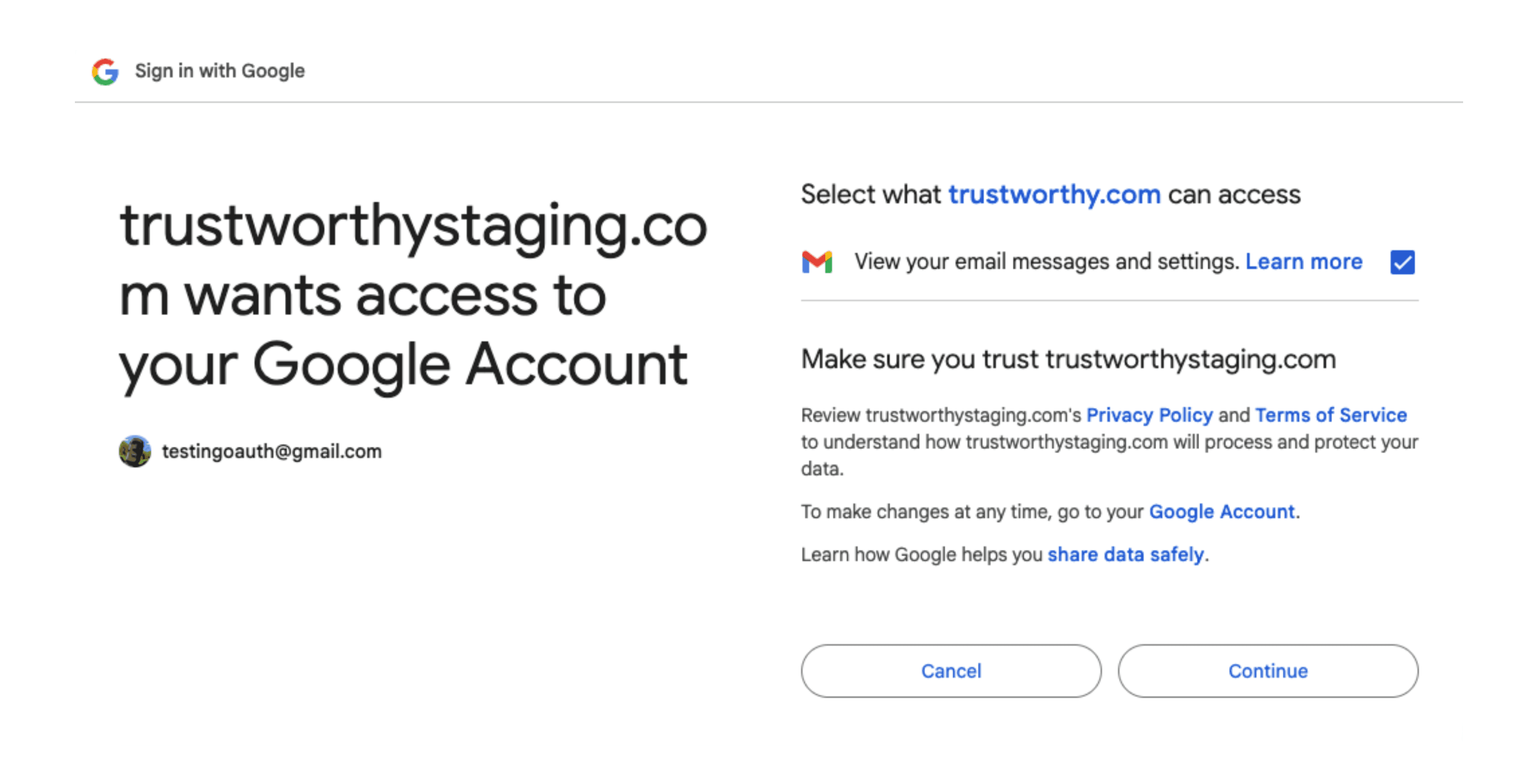
To sync with Gmail, Trustworthy requests read-only access to your email. Here’s what that means:
We can read the content of your emails and download attachments
We cannot send, delete, or modify your email in any way
You are always in control — disconnect anytime
You’ll see this clearly outlined on the google permissions screen.
How to Disconnect Gmail From Trustworthy
You can remove Gmail access at any time:
Visit myaccount.google.com
Click "Data & Privacy" in the left-hand sidebar
Scroll to "Data from apps and services you use"
Click on "Trustworthy"
Scroll to the bottom and select "Delete all connections with Trustworthy"
Done. Your inbox access is instantly revoked.
Built for Privacy, Backed by Trust
We built Gmail sync with your privacy in mind. Your data is:
End-to-end encrypted
Never used for advertising or shared without your permission
Handled in compliance with the highest security standards
