New Ways to Manage Files in Trustworthy
Updated
|
Written by
Trustworthy
Trustworthy's Family Operating System® automatically organizes your most important information and turns it into answers, guidance, and action.
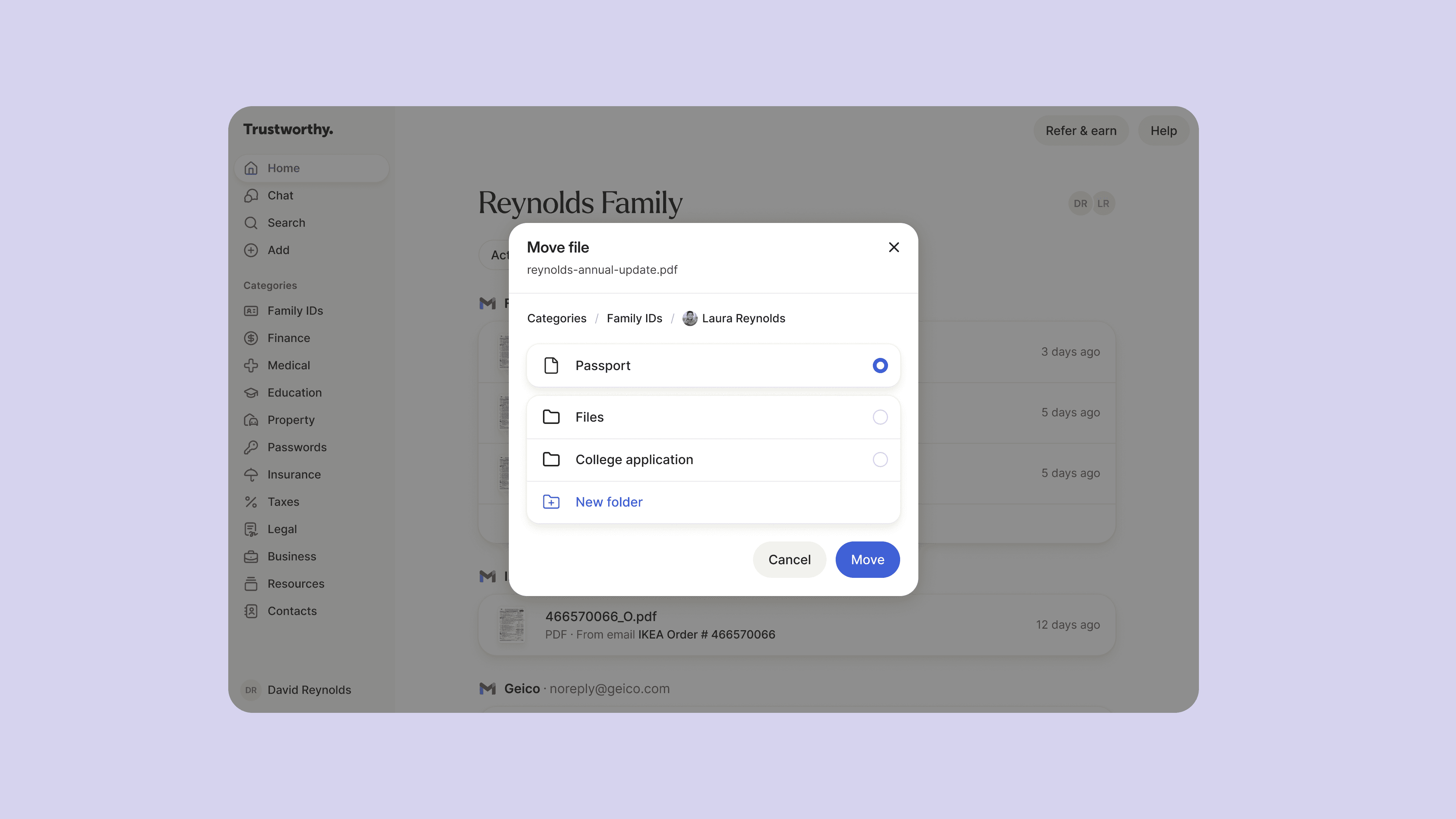
Life Changes. Your Organization Should Keep Up.
With our new Move feature, you can quickly put anything exactly where it belongs, according to you—no workarounds, no starting over.
Reorganize documents, adjust categories, and refine your system as your life evolves. It’s simple, fast, and fully in your control. Available on desktop and mobile.
Want a quick walkthrough?
How to move documents and items in Trustworthy →
Delete with more confidence
Deleting files should feel just as clear as organizing them.
Because a file may exist in more than one place in your account, now when you delete a file, Trustworthy will show you where that file is connected and let you choose what happens next.
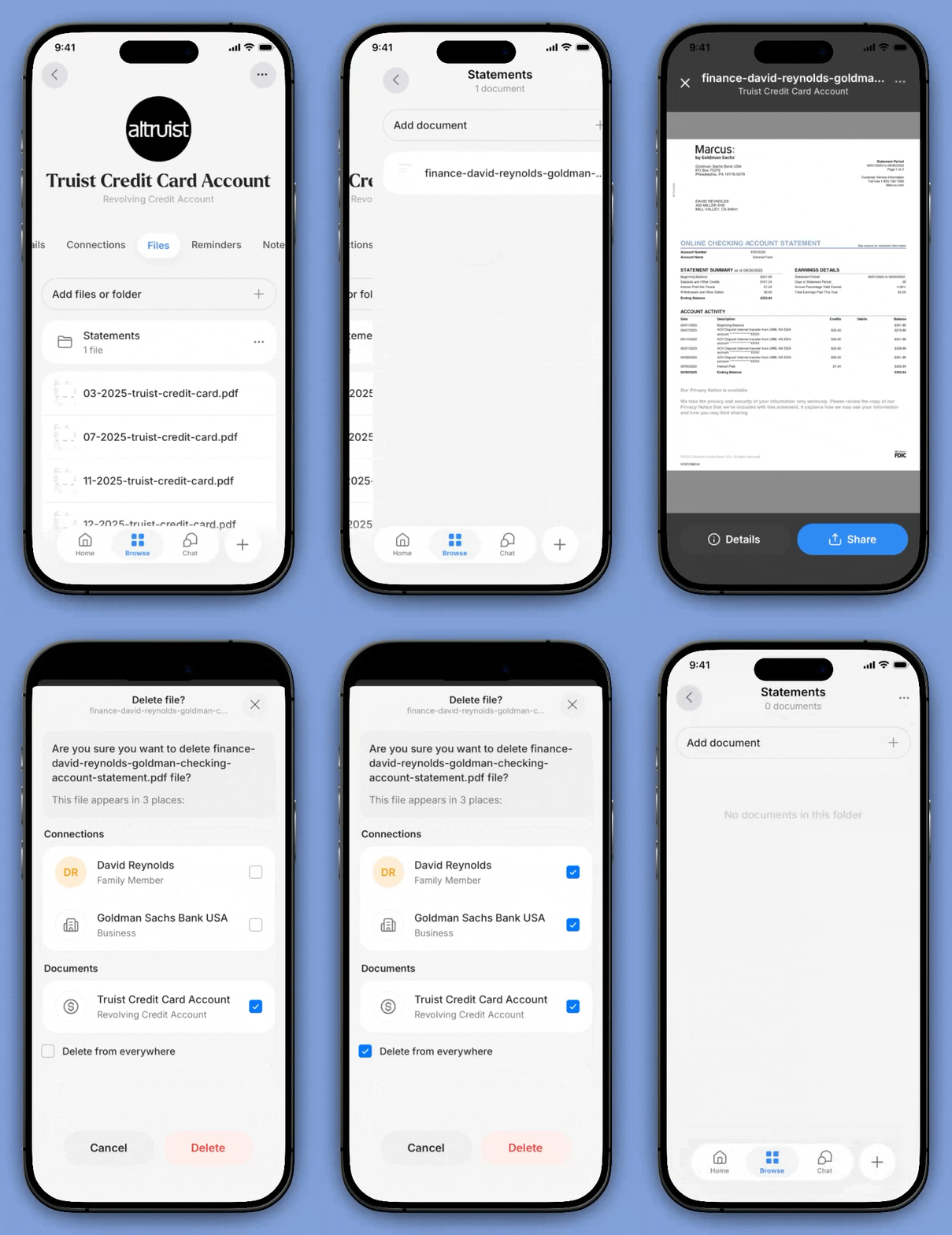
Smoother file deletion
You can:
Delete it only from the current location
Selectively remove it from other locations
Delete it everywhere
This added transparency helps prevent accidental deletion and makes cleanup easier.
More improvements, shaped by your feedback
We’ve been listening and making updates across Trustworthy to create a smoother experience.
File management and navigation
Clicking a document concept in expanded Activity Feed details now opens a file preview instead of an intermediate page
Folder design has been improved with wider, easier-to-read folders in the Files area
Long + Add lists in Property, Insurance, and Finance now include search and a scrollbar
Click and drag on a page to move a file from one location to another
Mobile app fixes and performance improvements
Mobile 4.0.6 was released yesterday and includes important fixes. Highlights include:
View essential file details from file preview
Fixed issue with legacy access collaborators not appearing
Added ability to pick from a broader list of insurers or financial institutions when adding insurance or finance items
Fixed issue with some files not appearing correctly in tax category
Ability to set and edit full name on family and contacts
Fixed issue with health and life insurance logos not appearing on detail page and category page
Smoother file deletion where you get prompted to delete from here or from everywhere that a file is linked

File preview
We’re continuing to improve Trustworthy every day—thank you for your feedback.
We’d love to hear from you. Feel free to email us with any questions, comments, or suggestions.