Who Gets to See It, and Who Gets to Change It?
Published
|
Written by
Trustworthy
Trustworthy's Family Operating System® automatically organizes your most important information and turns it into answers, guidance, and action.
Key Takeaways
Share without giving editing access. Gold and Platinum members can now give collaborators view-only access to specific information.
Export your Trustworthy, and recognize it, too. Your files now download with familiar names and an organized folder structure that mirrors your account.
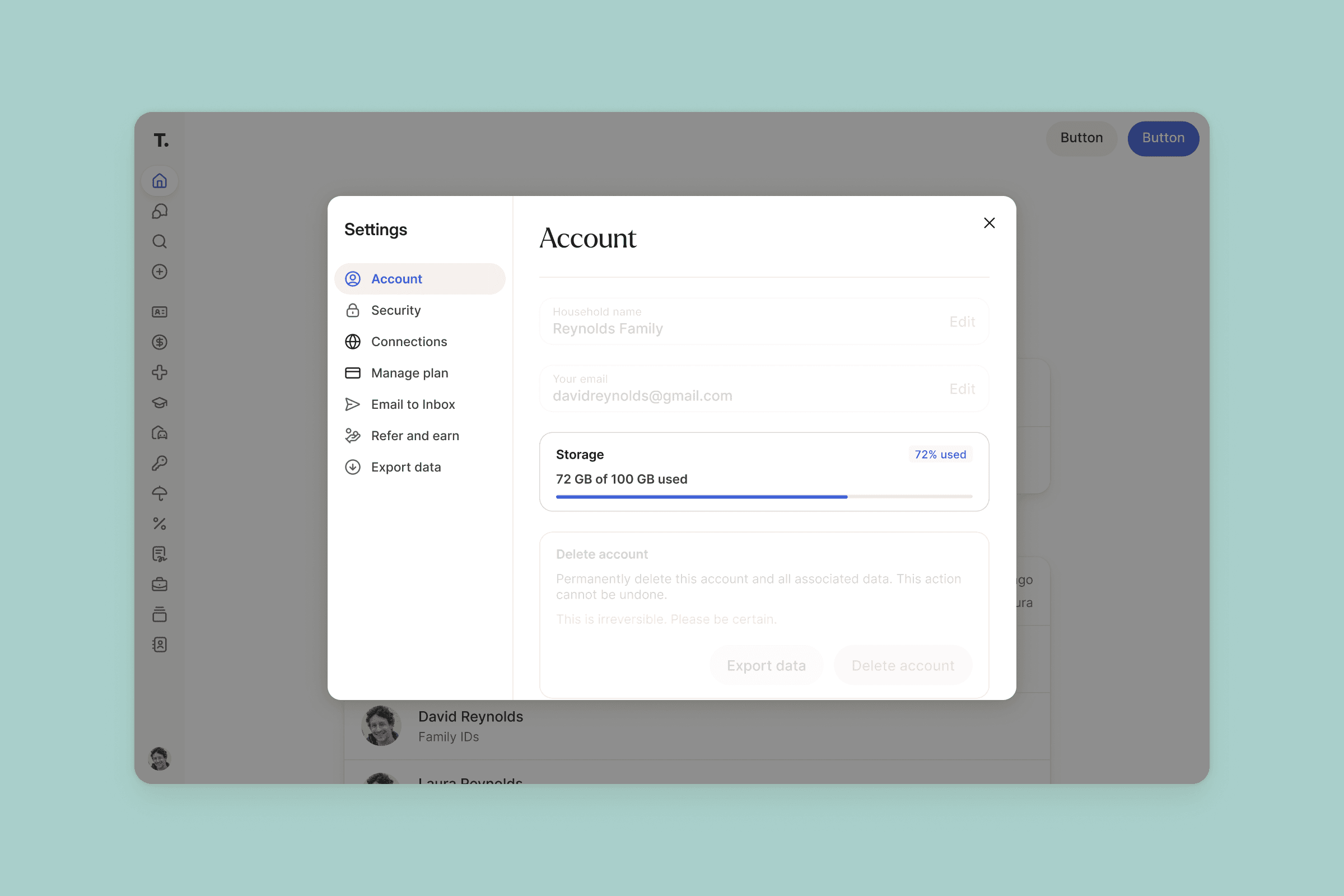
See how much storage you're using. Your Account Settings now show your storage usage and plan limit, with a heads-up as you near that limit.
Sharing important information with someone doesn't always mean handing them the keys.
This month, we're giving you more control over what collaborators can do with the information you share, making your exports much easier to navigate, and helping you keep an eye on how much storage you're using.
Share What They Need — Without Giving Up Control
There are plenty of reasons someone might need access to your family's important information without needing to manage it.
Maybe your adult child should know where to find your insurance information in an emergency. Your accountant needs access to tax documents. Or a sibling needs to be able to reference important family information, but you're the one responsible for keeping it up to date.
Now you can give them exactly that kind of access.
When you give a collaborator partial access to your Trustworthy, you can choose View or Edit for the categories or individual pages you share.
With View access, they can open, read, and download what's been shared with them, but they can't add, change, move, or delete anything. In fact, they won't even see the controls for doing so.
That means you can give people the information they need — without giving everyone the ability to change it.
View-only access is included with Gold and Platinum plans. On Free and Silver plans, shared information remains editable.
An Export You Can Actually Navigate
Your Trustworthy is organized for a reason. Now, when you export it, that organization comes with you.
Previously, exporting your account gave you one long list of files with names that could be difficult to decipher. It contained your information, but finding something later wasn't nearly as easy as it should have been.
Now your export looks much more like the Trustworthy you've built.
Files download with the names you recognize and are organized into folders for Family, Finance, Legal, and your other categories. Folders you've created appear where you'd expect them, anything still waiting in your Inbox gets its own folder, and profile photos are grouped together too.
So whether you're keeping a backup, handing information to someone else, or simply want your own copy, you don't have to untangle it after it arrives.
See Your Storage at a Glance
Your life is full. Trustworthy makes room for it.
From tax returns and insurance policies to family photos, IDs, receipts, and all the other documents life accumulates, your Trustworthy can hold a lot. And now it's easier to see exactly how much room you have left.
In Settings → Account, on both web and mobile, you'll find a storage indicator showing how much you've used and how much remains — or letting you know if your plan includes unlimited storage.
More Improvements & Fixes
Trustworthy is constantly evolving to better support real families and the information that matters most to them. Here are a few more things we've made easier this month:
Manage collaborators with Trustworthy Chat. You can now ask Chat to help you add and manage collaborators.
A smoother Inbox review. If you change where a file should go while reviewing it, we'll wait until you press Accept before filing it there.
Download or print Family Resource documents. You can now take these documents you create with you outside Trustworthy, too.
Better document recognition. Blood donor cards are recognized and filed under Other IDs; HIPAA authorizations and medical records release forms are recognized under Legal; and S-corp tax returns (Form 1120-S) can now be filed directly from the Inbox.
Better company logos. We've improved how Trustworthy finds the right logos for banks, insurers, and vehicle-related companies.
More control over Gmail imports. You can block a sender from a connected Gmail account in one step and clear out anything from them that's already arrived in your Trustworthy Inbox.
More ways to download PDFs. For multi-page PDFs, you can download the original PDF, every page as individual images, or just the page you're viewing.
Clearer error messages. We've improved the feedback you see when an email address, password, or other entry isn't valid.
We’d love to hear from you. Feel free to email us with any questions, comments, or suggestions.