Getting Started with Trustworthy: New Member Webinar (August 2026)
It starts with one document.
Join a live session to see how a single document becomes organized, connected, and ready when you need it.
We’ll also explore the newest improvements to the Trustworthy experience, including easier ways to review and manage your documents and new ways Chat can help better understand and use your informationWhat you'll learn:
About the Event
If you’re not quite sure where to begin, you’re not alone.
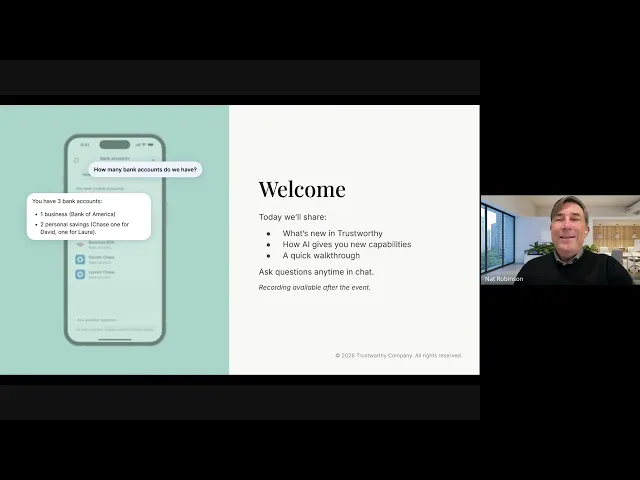
In this live session, we’ll walk through Trustworthy with you in real time so you can see how a single document becomes organized, connected, and ready when you need it.
Along the way, you'll see the latest improvements to the Trustworthy experience, including the new Inbox, the enhanced Files experience, and new ways Trustworthy Chat can help answer questions, surface insights, and take action using your own information.
You can ask questions along the way, or simply follow along.
What You’ll Learn
You'll see how to:
Add your first document in seconds
Review and organize new documents with the Trustworthy Inbox
See how Trustworthy automatically extracts key details, creates summaries, and organizes your information
Connect related people, accounts, properties, policies, and documents across your household
Stay ahead of important dates with reminders
Find and manage documents more easily with the enhanced Files experience
Use Trustworthy Chat to ask questions, generate reports, summarize documents, and get answers based on your own information
Who This Is For
New members who want a clear starting point
Anyone who prefers to see how it works before diving in
Members who’ve added a few things and want to get more out of their information
Members curious about the latest improvements to the Trustworthy experience
Questions from the Webinar
Should I manually verify information that Trustworthy extracts from PDFs?
Trustworthy's document extraction is highly accurate — we're currently seeing about a 1.7% correction rate, meaning members accept the extracted information without changes roughly 98% of the time.
That said, it's always a good idea to review important information. If you're adding a large number of files, consider spot-checking a few rather than checking every field in every document.
If you notice consistent problems with a particular type of document, please let us know. We're continually expanding and improving the types of household documents Trustworthy can understand.
How much data can I upload to Trustworthy?
Storage depends on your membership plan, and you can always find the current limits on our Pricing page. Free starts with 2 GB. And, in practice, household documents take up relatively little storage compared with things like high-resolution photos and videos.
We've intentionally provided generous storage limits so members have room to keep adding important information over time.
How can I share information with a caregiver who helps my parent?
You can give a caregiver access to exactly the information they need without giving them access to your entire Trustworthy account.
For example, you might create care instructions in Family Resources and add and share other useful details such as a gate code and the medication lockbox combination in your Passwords category. You can then add the caregiver as a partial-access collaborator and choose what they can see.
This gives you one secure place to maintain the information while keeping control over access.
Can I access an image of my driver's license when I need proof of address or identification?
Yes. If you've saved your driver's license in Trustworthy, you can access the document from the web or mobile app when you need it.
Core documents are also available offline in the mobile app once they've synced, which can be especially useful when you need important information and don't have an internet connection.
Keep in mind that whether a digital copy is accepted as identification or proof of address depends on the organization requesting it. Some situations may still require the physical ID.
Can I create a backup or checkpoint of my entire Trustworthy account and restore it later?
Trustworthy does not currently offer account versioning that lets you restore your entire account to an earlier point in time.
If you accidentally add documents you don't want, however, you can simply delete them. The Inbox also gives you an opportunity to review incoming documents before filing them into your account.
We're continuing to improve this review process so Trustworthy can do more to help identify which incoming documents are most useful to keep.
Can I export my Trustworthy account data?
Yes. Go to your account settings and select the option to export your account data.
We encourage members to maintain a secure backup of their most important information. Just be thoughtful about where you store the exported copy, since it will almost certainly contain sensitive personal information.
Can I change what a partial-access collaborator can see after I've added them?
Yes. You remain in control of access to your Trustworthy account.
Go to Settings → Manage Access to review a collaborator's permissions. You can expand, reduce, or revoke their access at any time.
How do I delete a document I've previously added?
You can delete a document from wherever it's stored in your account, or find it using Files.
If the same document is connected to multiple places in Trustworthy, we'll let you know and ask whether you want to remove it everywhere.
There's also an added safeguard when deleting an entire page: if the page contains an important document, Trustworthy may return that document to your Inbox so you can decide whether to file it somewhere else rather than automatically losing it with the page.
Can I access more than one family's Trustworthy account with the same login?
Yes. You can have your own Trustworthy account while also being a full-access, partial-access, or legacy-access collaborator on other households.
Use Switch Household to move between the accounts you have access to without signing in and out with different credentials.
This can be especially useful when helping parents, adult children, siblings, or other family members while keeping each household's information and permissions separate.
How do I know Trustworthy will still be around in the future?
Trustworthy was founded in 2019 and began operating in 2020. We're a venture-backed company with a healthy, growing business and partnerships that continue to expand.
We understand that longevity matters when you're choosing a place for information your family may need for years to come. Building Trustworthy for the long term has been part of our mission from the beginning.