Getting Started with Trustworthy: New Member Webinar (July 2026)
It starts with one document.
In this live New Member Webinar, we walk through Trustworthy in real time so you can see how a single document becomes organized, connected, and ready the moment you need it. We also tour the newest improvements to Trustworthy, including easier ways to review and manage your documents and new ways Chat can help you understand and use your information.
Whether you're just getting started or you've added a few things and want to get more out of your account, this session gives you a clear path forward.
What you'll learn:
How to add your first documents in seconds
How the Trustworthy Inbox makes it easy to review and organize what comes in
How Trustworthy automatically extracts key details and creates summaries
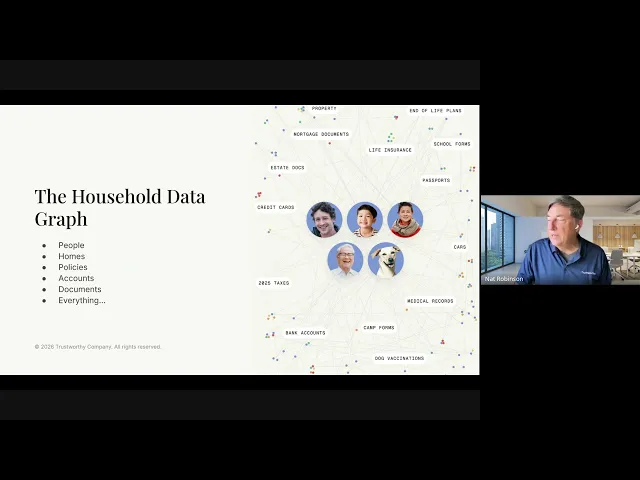
How related people, accounts, properties, policies, and documents connect across your account
How reminders help you stay ahead of important dates
How the enhanced Files experience makes managing documents easier
How to use Trustworthy Chat to ask questions, build reports, and summarize your documents
Who this is for:
New members who want a clear starting point
Anyone who prefers to see how it works before diving in
Members who've added a few things and want to do more with their information
These questions, answered in the video:
What are the best practices for sharing a Trustworthy account with family members, a family attorney, etc.? Can sharing filters be applied to specific users?
Do SecureLinks make a file available as view-only, or can the external user print or download the file?
I have a number of older files that I uploaded, and they are titled "Generic Document." Does it make sense at this point to simply delete and re-upload them, letting the AI decide on the name and where they should be filed?
Is there a quick view for a power of attorney (POA) to access key data? I'm sharing access with my POA, and they would need to find pertinent information quickly if something were to happen to me—bank accounts, bills, mortgage, insurance, etc.
How would I add logins for utilities, for example, since my husband doesn't know how to log into any of them?
Is it possible to extract and create a file containing all of my data in Trustworthy?
How much storage is available with each membership plan?
What is the fastest way to upload credit card or utility bills? Do you recommend uploading a copy of the statement?
Can a file be a photo?
Does Trustworthy have language translation capabilities? I have some documents in Spanish.
Can I view the storage used and available in my Trustworthy account? Also, can you offer tips on which files are most valuable to keep to avoid unnecessary storage bloat—for example, saving only year-end banking statements rather than monthly statements?