REAL ID Requirements: Your Questions Answered
Trustworthy's Family Operating System® automatically organizes your most important information and turns it into answers, guidance, and action.

REAL ID rules are now fully in effect for domestic air travel, but many adults still feel uncertain about what counts as acceptable identification, whether their current driver’s license is compliant, and how the Transportation Security Administration's new $45 identity-verification option (Confirm.ID) will work.
This Q&A clarifies the federal rules, explains your identification options for domestic travel, and outlines what you need to know about compliance, documentation, and Confirm.ID.
Understanding REAL ID
Q: What is REAL ID?
A: REAL ID is a federally mandated identification standard established under the REAL ID Act of 2005. It strengthens the security requirements for state-issued driver’s licenses and identification cards.
REAL IDs are designed for federal use, including airport security screening and entry into certain restricted federal facilities.
Q: Why was REAL ID created?
A: Congress implemented REAL ID to make identification more consistent and secure across all states.
After the 9/11 Commission recommended tighter identity verification standards, the REAL ID Act created uniform requirements to help reduce fraud and strengthen security in settings where identity verification is critical, such as airport checkpoints.
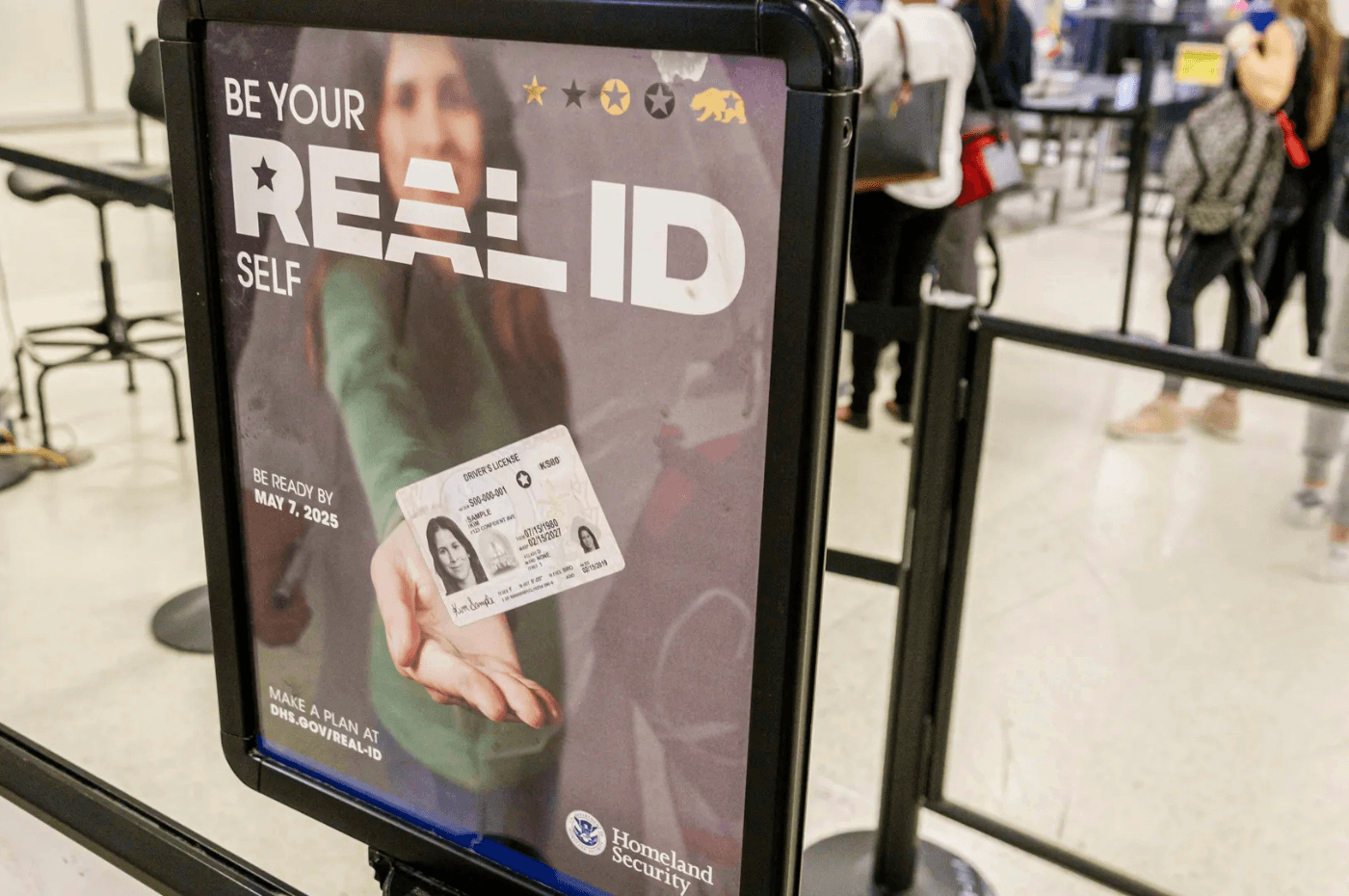
Q: How is a REAL ID different from a standard driver's license?
A: REAL ID-compliant cards require more rigorous identity verification. Applicants must provide specific documentation to prove identity, legal presence, Social Security number, and state residency.
Standard licenses do not meet these federal verification requirements and cannot be used for federal screening.
ID Requirements for Air Travel
Q: Do I need a REAL ID to fly domestically?
A: You need a REAL ID if you plan to use your driver’s license or state ID at airport security. If you use a passport, military ID, or another TSA-approved alternative, you do not need a REAL ID specifically for air travel.
Q: Where else might REAL ID be required?
A: REAL ID may be required for entering certain federal buildings, secure government facilities, military bases, and nuclear power plants. It is not required for voting, driving, accessing health care, or applying for federal benefits.
Q: What forms of ID does the TSA accept for domestic flights?
A: The TSA accepts a range of IDs for domestic flights, including:
REAL ID-compliant driver’s licenses or state IDs.
State-issued enhanced driver’s licenses or enhanced IDs.
U.S. passport or passport card.
Department of Homeland Security trusted traveler cards (Global Entry, NEXUS, SENTRI, FAST).
Department of Defense IDs (including dependent IDs).
Permanent resident card.
Border crossing card for Mexican citizens.
Acceptable photo ID issued by a federally recognized Native American tribe.
HSPD-12 PIV card, a personal identify verification card that's used by federal employees and contractors.
Foreign government-issued passports.
Canadian provincial driver’s licenses or Indian and Northern Affairs Canada cards.
Transportation Worker Identification Credential, a biometric smart card required for workers needing unescorted access to secure areas of maritime facilities and vessels.
USCIS Employment Authorization Card (I-766), used by foreign nationals who are authorized to work in the U.S. but are not permanent residents.
U.S. Merchant Mariner Credential.
Veteran Health Identification Card.
TSA Confirm.ID (New 2026 Option)
Q: What is TSA Confirm.ID?
A: TSA Confirm.ID is a modernized identity-verification system that allows travelers without acceptable ID to verify their identity directly at the airport. It becomes available on Feb. 1, 2026.
Q: How does TSA Confirm.ID work?
A: Travelers who do not present an acceptable ID may pay a $45 fee to use Confirm.ID. The verification is valid for a 10-day travel period. The TSA notes that this option should serve as a backup, not a substitute for obtaining a REAL ID or other accepted identification.
Q: Should travelers rely on Confirm.ID instead of getting a REAL ID?
A: The TSA strongly discourages treating Confirm.ID as your primary plan. It is intended for emergencies — such as if your wallet is lost or you arrive at the airport without acceptable ID — not as a long-term solution.
Getting and Checking Your REAL ID
Q: How can I tell if I already have a REAL ID?
A: REAL IDs typically feature a star in the upper corner. Some Enhanced IDs use a different compliance symbol, such as a U.S. flag. If your license has no symbol, it is almost certainly not REAL ID-compliant.
Q: What do I need to bring to get a REAL ID?
A: Requirements vary slightly by state, but most licensing agencies require:
Proof of identity (passport or certified birth certificate).
Proof of Social Security number.
Two documents showing your residential address (utility bill, lease, mortgage statement, bank statement).
Because requirements can differ, check your state’s licensing website before your appointment.
Q: Do I need to apply in person?
A: Yes. REAL ID applications must be completed in person for federal verification. Some states allow you to pre-upload documents online, but an in-person visit is still required to complete the process.
Q: How long does it take to get a REAL ID?
A: Processing times differ by state. Some licensing agencies issue REAL IDs during your visit, while others mail the updated card. Appointment availability can vary, so it’s best to confirm your documentation before you go.
Using Trustworthy to Stay Organized
Q: How can Trustworthy help me prepare for REAL ID or manage my travel documents?
A: Trustworthy’s secure Family Operating System® helps you keep all the documents you need for REAL ID — such as passports, Social Security cards, birth certificates, and residency records — organized and available when you need them. This reduces the risk of delays caused by missing or incorrect paperwork.
Q: How does Trustworthy keep my IDs secure?
A: Trustworthy uses industry-leading security features, including tokenization, multi-factor authentication, hardware key support, threat detection, and AES-256 encryption. Your information remains private while still being accessible on your phone, tablet, or laptop.
Q: Can I share documents with family members or professionals?
A: Yes. Trustworthy offers granular access controls that allow you to share exactly the documents someone needs — nothing more. This makes it simple to grant adult children access to their IDs or share records securely with trusted advisors.
Q: Does Trustworthy help me organize the information on my IDs?
A: Yes. Trustworthy’s Autopilot™ automatically categorizes uploads, extracts key data from your identification documents, and keeps your digital vault organized. If you’re preparing for a REAL ID appointment, having your documents organized and verified in advance can save time and prevent errors.
Ready to learn more? Join Trustworthy for free.
We’d love to hear from you. Feel free to email us with any questions, comments, or suggestions.